> ## Documentation Index
> Fetch the complete documentation index at: https://docs-dev-fix-docs-5528-php-updates.mintlify.site/llms.txt
> Use this file to discover all available pages before exploring further.
# Mailjet
> Découvrez comment configurer vos actions de flux Mailjet pour envoyer des courriels.
## Configurer la connexion à votre coffre-fort
Pour configurer une connexion au coffre-fort pour vos actions Mailjet, vous aurez besoin d’une **clé API** et d’une **clé secrète** :
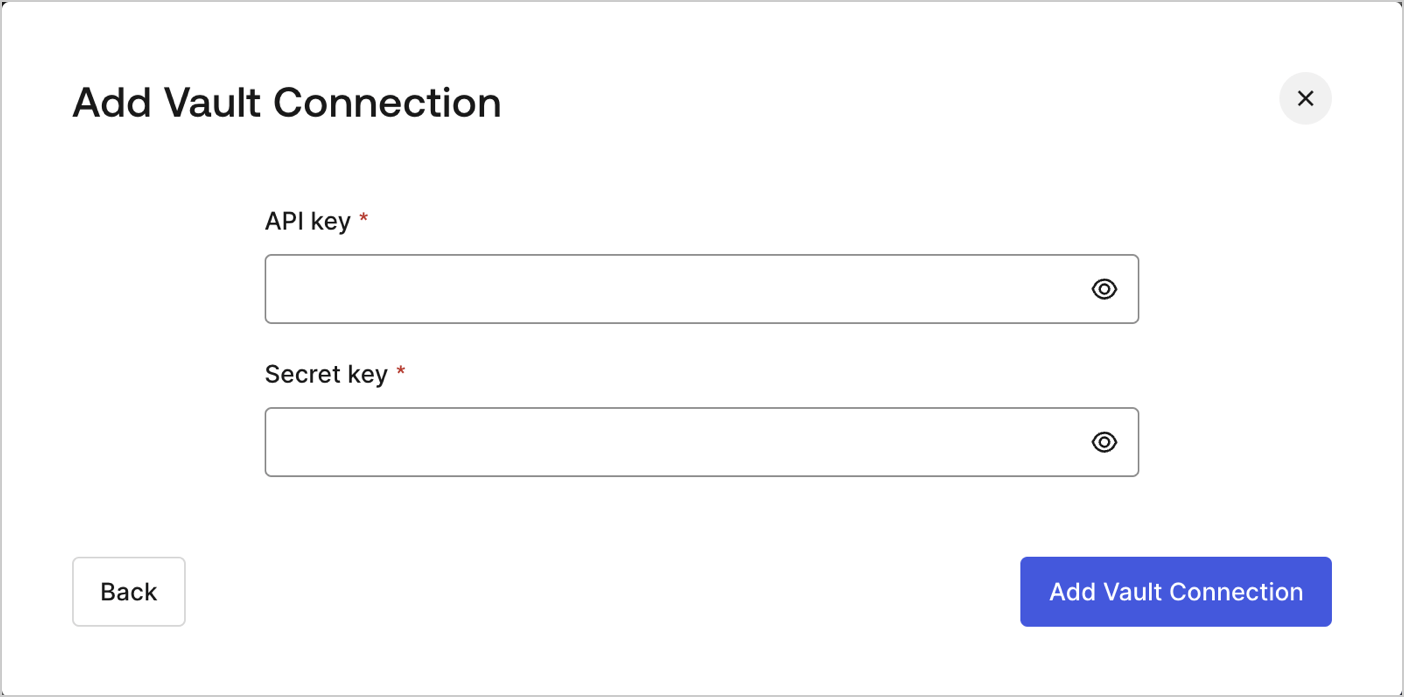 Celles-ci peuvent être trouvées sur la page Account (Compte) du [tableau de bord Mailjet](https://app.mailjet.com/account/api_keys) sous les clés API.
## Send email (Envoyer un courriel)
Envoyer un courriel en utilisant Mailjet comme fournisseur de messagerie.
Celles-ci peuvent être trouvées sur la page Account (Compte) du [tableau de bord Mailjet](https://app.mailjet.com/account/api_keys) sous les clés API.
## Send email (Envoyer un courriel)
Envoyer un courriel en utilisant Mailjet comme fournisseur de messagerie.
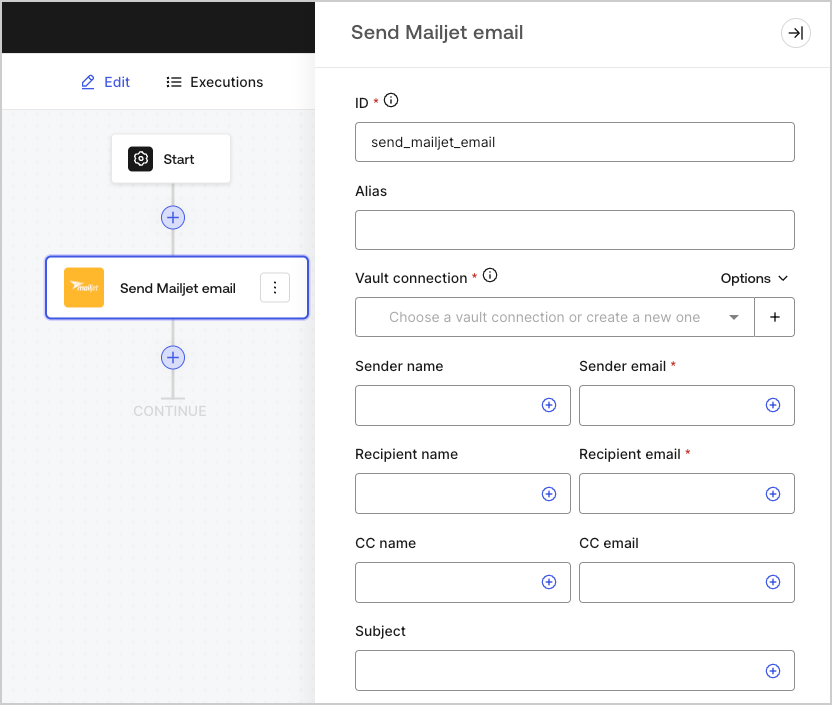 ### Paramètres de saisie
| Paramètre | Description |
| -------------------------------------- | ---------------------------------------------------------------------------------------------------------------------- |
| Nom de l’expéditeur | Le nom de l’expéditeur |
| Courriel de l’expéditeur (obligatoire) | L’adresse courriel de l’expéditeur |
| Nom du destinataire | Le nom du destinataire |
| Courriel du destinataire (obligatoire) | L’adresse courriel du destinataire |
| Nom en CC | Le nom du contact en copie conforme |
| Courriel en CC | L’adresse courriel en copie conforme |
| Objet | L’objet du courriel |
| Type de courriel | Envoyer un courriel avec contenu HTML ou un modèle enregistré (optionnel) |
| Message (obligatoire) | Message en format HTML ou un modèle (optionnel). |
| ID du modèle (facultatif) | Si vous utilisez un modèle, son ID se trouve dans le [ tableau de bord de Mailjet ](https://app.mailjet.com/template). |
| Variables personnalisées (facultatif) | Ajoutez des variables personnalisées à insérer dans votre modèle. |
| Suivre l’activité des courriels | Cocher la case pour suivre l’activité des courriels. |
### Paramètres de sortie
Vous trouverez les codes de réponse et d’état attendus dans la [documentation Mailjet](https://dev.mailjet.com/email/reference/send-emails/).
### Paramètres de saisie
| Paramètre | Description |
| -------------------------------------- | ---------------------------------------------------------------------------------------------------------------------- |
| Nom de l’expéditeur | Le nom de l’expéditeur |
| Courriel de l’expéditeur (obligatoire) | L’adresse courriel de l’expéditeur |
| Nom du destinataire | Le nom du destinataire |
| Courriel du destinataire (obligatoire) | L’adresse courriel du destinataire |
| Nom en CC | Le nom du contact en copie conforme |
| Courriel en CC | L’adresse courriel en copie conforme |
| Objet | L’objet du courriel |
| Type de courriel | Envoyer un courriel avec contenu HTML ou un modèle enregistré (optionnel) |
| Message (obligatoire) | Message en format HTML ou un modèle (optionnel). |
| ID du modèle (facultatif) | Si vous utilisez un modèle, son ID se trouve dans le [ tableau de bord de Mailjet ](https://app.mailjet.com/template). |
| Variables personnalisées (facultatif) | Ajoutez des variables personnalisées à insérer dans votre modèle. |
| Suivre l’activité des courriels | Cocher la case pour suivre l’activité des courriels. |
### Paramètres de sortie
Vous trouverez les codes de réponse et d’état attendus dans la [documentation Mailjet](https://dev.mailjet.com/email/reference/send-emails/).